
7 CAD File Mistakes That Delay CNC Machining Projects—and How to Avoid Them
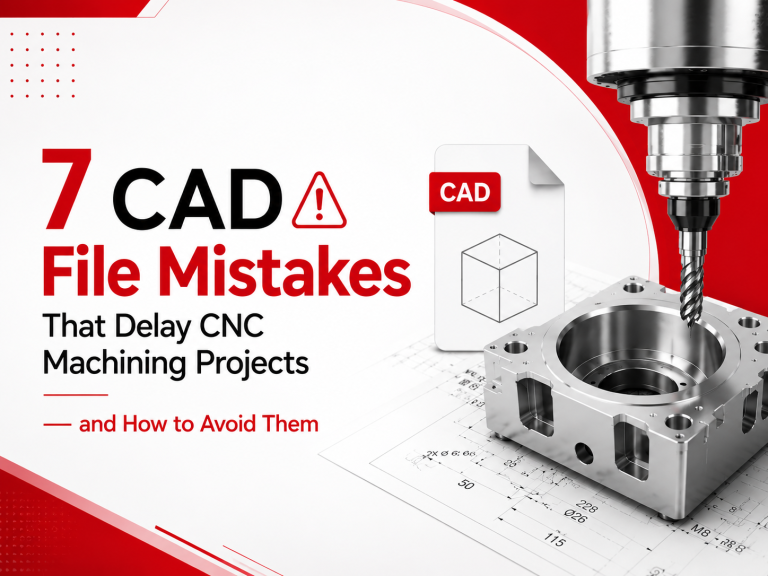
Delays in CNC machining may occur even before the project goes into production, but the majority of delays begin in the CAD file.
At CAD Deziners, we have seen countless instances of delays during manufacturing caused by CAD files not being ready for manufacturing. Some of these delays include missing tolerances, wrong file format, and incomplete engineering drawings.
However, the good news is that most of these errors are preventable.
This guide will discuss seven common mistakes in CAD files that cause delays during CNC machining processes and give tips on how to create ready-to-manufacture CAD files.
Why Is The CAD File Important?
Most companies think once their model is done, it’s time for CNC Machining. In reality, creating the model is only the first step.
Before any kind of work starts, your files will be checked by the machinists and analyzed to find out whether there is enough data to manufacture your product. If not, your project might be stalled until you make changes.
Proper preparation of your CAD file can benefit you in many ways:
- Save time for quotation
- Avoid making unnecessary corrections
- Improve machining quality
- Reduce manufacturing costs
- Avoid delays in production schedule
A well-arranged file is useful not just for designers but also for the machinist and customer.
Production-Ready CAD File VS Poorly Prepared CAD File
Production-Ready CAD File | Poorly Prepared CAD File |
STEP/Parasolid format | Only PDF or other formats are provided |
Closed solid model | Some parts of the model are open |
Engineering drawing is provided | Not all dimensions/note are presented |
Material is defined | There is no mention about material |
Tolerances are realistic | Too tight tolerances are applied to everything |
All manufacturing notes are present | Something important was forgotten |
Revision number is updated | Different versions of files are present |
The difference between these two can be the determining factor whether your project goes directly to production or undergoes revisions.
1. Using the Inappropriate CAD File Format
One of the biggest causes of delays is actually using the incorrect CAD file format.
While PDF drawings are useful to review designs, they do not include the necessary 3D geometry required to program CNC machinery. Likewise, image files and low-resolution mesh files cannot be used to produce proper toolpaths for machining.
Some of the popular CAD formats preferred by most CNC machining companies are:
- STEP (.STP/.STEP)
- Parasolid (.X_T)
- IGES (.IGS)
Others might also accept native CAD files from SolidWorks, Autodesk Inventor, or Fusion 360.
Why It Causes Delays
In case your machining company cannot use your file, they will have to request that you send an appropriate file again or rebuild certain components from scratch, which leads to delays in quotation and production processes.
Tip From an Expert
Before exporting your CAD design, check with your machining partner what format they recommend.
2. Missing Dimensions and Manufacturing Tolerances
The 3D CAD model describes the form of the component, but not always the precision to which manufacturing should take place.
If the dimensions and tolerances are not included, manufacturers might have to contact you before commencing with the machining process.
Key information should include:
- Critical dimensions
- Sizes of holes
- Threading
- Required surface finish
- Tolerances
- Datum references
A shaft, for instance, that is supposed to fit into a bearing housing will require greater tolerances than a cosmetic cover plate. Using appropriate tolerances when necessary will save time on the manufacturing process while still meeting functional requirements.
Expert Tip
Attach an engineering drawing along with the CAD model for more information about manufacturing the part.
3. Geometrically Incorrect CAD Models
Just because the CAD model looks fine on your computer, it does not guarantee that the machining software will recognize any geometry errors in the file.
These geometry problems may include:
- Open surfaces
- Gaps between faces
- Redundant geometry
- Non-manifold edges
- Geometry corruption
- Disconnected solids
Some common problems arise as a result of file conversion between CAD software or revision after revision of the design.
Why It Matters
In case the model is not a fully enclosed solid, the CNC programmer will have to make modifications to the geometry in order for the process to start. This step is unnecessary and might raise manufacturing costs.
Expert Tip
When sending your designs to a manufacturing facility, you should do a preliminary check for any geometrical issues, since this would help in saving programming time.
4. Disregarding Design for Manufacturing (DFM)
Sometimes a CAD model seems perfect but it’s really hard, if not impossible, to manufacture.
Design for Manufacturing (DFM) refers to designing the parts in such a way that they can easily be machined using standard equipment.
Design problems include:
- Sharp interior angles
- Deep and narrow recesses
- Extremely thin walls
- Small inner radii
- Complex geometry
- Difficult geometry to reach
All the above aspects are usually solved with additional machining steps or specialized tools that will increase manufacturing time and costs.
Expert Tip
Simple geometry adjustments, like increasing inner angles or decreasing pocket depth, will greatly benefit manufacturability.
5. Unrealistic Tolerances Application
Tighter tolerances are not always better as many people think. The application of unrealistic tolerances leads to a significant amount of extra work in terms of machining, inspection, and expenses.
All CNC machines have certain limitations and when extremely tight tolerances are involved, it means slower machining rates and special tools, etc. When a dimension does not affect either the performance or the assembly of a part, there is no need to have extremely tight tolerances.
For instance, it makes sense to have a tight tolerance for bearing seats and locating holes, but in case external dimensions do not engage with another part, standard tolerances are acceptable.
Best Practice
Apply only those tolerances that are required in terms of the function. Consultations regarding tolerances can save you lots of money, especially if done early in the process of working with a CAD designer or machining company.
6. Not Including Information on Material & Surface Finish
A computer-aided design file tells you about the shape of your component, but it doesn’t tell the manufacturer what material to use and how to treat the surface finish.
Manufacturing aluminum, stainless steel, brass, engineering plastics, or titanium involves different types of tools, speeds, and processes. It is therefore difficult for a manufacturer to prepare a quote without knowing all these aspects.
Other manufacturing considerations include the type of surface finish the part needs before being delivered. Whether you want your part to undergo anodizing, bead blasting, powder coating, or any other special surface finish, the manufacturer needs to know that information right away.
Information to Include
- Material grade
- Heat treatment (if required)
- Surface finish
- Coating requirements
- Material hardness
- Color requirements (if necessary)
7. Sending out CAD Documents without a Final Check
Another very simple way to prevent any production delay is to make sure you do a final check before sending out your documents to the manufacturing company.
There are always lots of little things during a hectic project that get forgotten, like the current revision number, or even a drawing may be missing or have the wrong material designation. This is something that can cause significant problems when the manufacturing process gets underway.
Before releasing your package of CAD documents, ensure all documents contain the latest version of the design and include everything necessary for manufacturing.
Engineers’ Tip
CAD Deziners highly advise that each time you send out CAD documents you should consider this the final quality check.
Pre-Production Checklist for Engineers
Prior to submitting your CAD files for CNC machining, please ensure that you are able to answer Yes to the following questions:
Pre-Production Checklist | ✓ |
Is the solid body of the model fully enclosed? | ☐ |
Are you certain that you have exported the right CAD file format (STEP, Parasolid, etc.)? | ☐ |
Have engineering drawings been provided? | ☐ |
Have all important dimensions been listed? | ☐ |
Have realistic tolerances been defined? | ☐ |
Is the material grade listed? | ☐ |
Have surface finish requirements been stated? | ☐ |
Is the most current revision number indicated on all drawings? | ☐ |
Have all non-essential CAD model elements been removed? | ☐ |
Have you verified the complete CAD package prior to submission? | ☐ |
Completing this checklist before submitting your files will help minimize production delays and unnecessary revisions, as well as increase communication efficiency with your CNC machine shop.
Concluding Remarks
Good CNC machining starts way ahead of making the first cut. This means that the quality of your CAD files affects the accuracy of quoting, productivity, precision, and even costs of manufacturing.
In order not to fall into the trap of committing any of the seven common errors discussed above, make sure that your CAD files contain all the necessary information required by your CNC machining contractor.
Be it a new product, replacement part, or a replica of a discontinued component, proper preparation of CAD drawings and files will make the process of manufacturing more cost-effective.
Do You Need CAD Drawings for Manufacturing?
CAD Deziners specializes in providing accurate production-ready CAD modeling, drafting engineering drawings, and reverse engineering services to manufacturers, engineers, and industrial companies across Australia.
Whether you need help in preparing CAD files for CNC machining, creating a CAD drawing of an existing part, or designing a completely new product, we are here to help.
Feel free to contact CAD Deziners to get a quick quote and start working on your next project.
Recent Posts
-
 How Australian Industries Recreate Obsolete Parts with Reverse Engineering03 Jun 2026
 -
 Reverse Engineering & 3D Printing for Automotive Aftermarket Parts29 May 2026
 -
CAD Drafting vs BIM for Construction Projects in Australia22 May 2026
-
 Top 10 Industrial Applications of 3D Printing and Their Benefits15 May 2026
 -
Minimum Wall Thickness for SLA 3D Printing: Design Guide 202608 May 2026

Categories
- Blogs
- 3D Printing Articles
- 3d Scanning Articles
- Cad Drafting Articles
- FEA Services Articles
Frequently Asked Questions
Find answers to common questions
The STEP (.STP/STEP) file format is one of the most widely accepted formats because it preserves precise geometry and works with most CAD/CAM software used for CNC machining.
CNC machining delays can occur due to incorrect CAD file formats, missing engineering drawings, geometry errors, unrealistic tolerances, or incomplete material specifications.
Yes. While a 3D CAD model provides the geometry, engineering drawings include essential manufacturing information such as dimensions, tolerances, and machining notes.
Yes. Using reverse engineering and 3D scanning, we can create a production-ready CAD file even if the original engineering drawings are unavailable.
Preparing production-ready CAD files, applying Design for Manufacturability (DFM), using appropriate tolerances, and supplying complete engineering information can significantly reduce machining costs.
Professional CAD drafting is widely used across manufacturing, mining, agriculture, food processing, automotive, medical devices, construction, and industrial machinery industries.